How to Build 3D Collections Slider in Shopify Store
Boost your Shopify store with premium code snippets—easy to install, instantly upgrade functionality, and enhance customer experience. Trusted by merchants worldwide. Download now!
59 Downloads
Couldn't load pickup availability
Immediate download.
Immediate download.
Only copy & paste code
No monthly fees.
No monthly fees.
Safe checkout
Safe checkout
Share

Description
In today’s competitive eCommerce market, store design plays a huge role in attracting and retaining customers. One powerful visual element that many successful stores use is a 3D collection slider in Shopify.
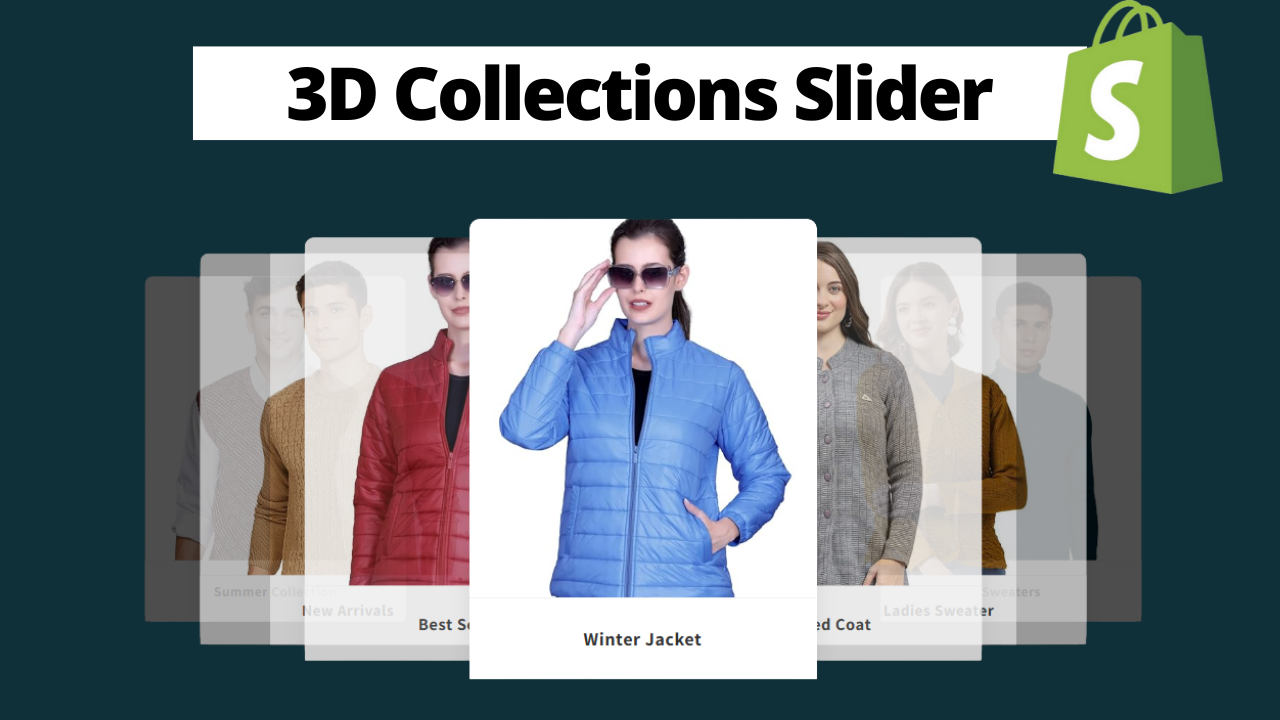
A 3D collection slider adds depth, motion, and interactivity to your store, making your collections stand out and encouraging visitors to explore more products.
In this blog, you’ll learn what a 3D collection slider is, why it matters, and how it can improve conversions in your Shopify store—without diving into any technical or coding details.
What Is a 3D Collection Slider in Shopify?
A 3D collection slider is a visually enhanced slider that displays Shopify collections with a three-dimensional effect. Unlike regular flat sliders, 3D sliders create a sense of depth using motion, scaling, and perspective.
These sliders usually:
- Highlight multiple collections in a rotating or sliding format
- Add a premium, modern feel to the store
- Encourage users to interact with the content
They are commonly placed on the homepage, collection pages, or landing pages.
Why Use a 3D Collection Slider in Your Shopify Store?
Using a 3D collection slider offers several advantages over traditional layouts.
1. Improved First Impression
Your homepage is the first thing visitors see. A 3D slider instantly makes your store look modern, professional, and high-end.
2. Better User Engagement
Interactive elements keep users on your site longer. The more time visitors spend browsing collections, the higher the chance of conversion.
3. Highlights Multiple Collections at Once
Instead of showing just one banner, a 3D collection slider allows you to showcase multiple categories in a compact and stylish way.
4. Works Great for Visual Products
Fashion, electronics, accessories, and lifestyle brands benefit the most from visually rich sliders.
Best Places to Use a 3D Collection Slider
For maximum impact, place your 3D collection slider in these areas:
- Homepage (above the fold)
- Below the hero section
- Collection landing pages
- Promotional or seasonal pages
Avoid placing sliders too deep in the page where users may not scroll.
Shopify Themes That Support 3D Collection Sliders
Most Shopify Online Store 2.0 themes can support 3D collection sliders
Benefits of Using a 3D Collection Slider
Adding a 3D collection slider helps you:
- Create a premium brand experience
- Improve navigation across collections
- Increase average session duration
- Reduce bounce rate
- Make your store visually memorable
All these factors indirectly help with SEO and conversions.
SEO Advantages of a 3D Collection Slider
Although sliders themselves don’t directly improve SEO, they help by improving user behavior signals such as:
- Higher engagement
- More page interactions
- Longer time on site
Search engines reward websites that provide better user experiences.
3D Collection Slider vs Normal Slider
| Feature | Normal Slider | 3D Collection Slider |
|---|---|---|
| Visual Appeal | Basic | High & Premium |
| User Interaction | Low | High |
| Engagement | Average | Strong |
| Modern Look | Limited | Advanced |
When Should You Use a 3D Collection Slider?
A 3D collection slider is ideal if:
- You want your Shopify store to stand out
- You sell visually appealing products
- You want a premium, modern design
- You want to showcase multiple collections creatively
However, minimal stores with a very simple aesthetic may prefer a flat layout.